Portrait to Landscape: Extend a Vertical Photo to 16:9 or 4:3
3D Camera Control is a portrait to landscape converter: upload a vertical photo and AI extends the scene to the left and right, turning it into a horizontal 16:9 or 4:3 image. Your subject stays in the middle while the new sides continue the background, light and perspective. Each image costs 15 credits. Upload a JPEG, PNG or WebP up to 10 MB and download the result as a PNG.
Upload a vertical photo to see the new landscape frame.
Landscape ratios to choose from
16:9 or 4:3
Per landscape image
15 credits
Largest JPEG, PNG or WebP upload
10 MB
Examples
Portrait to landscape examples
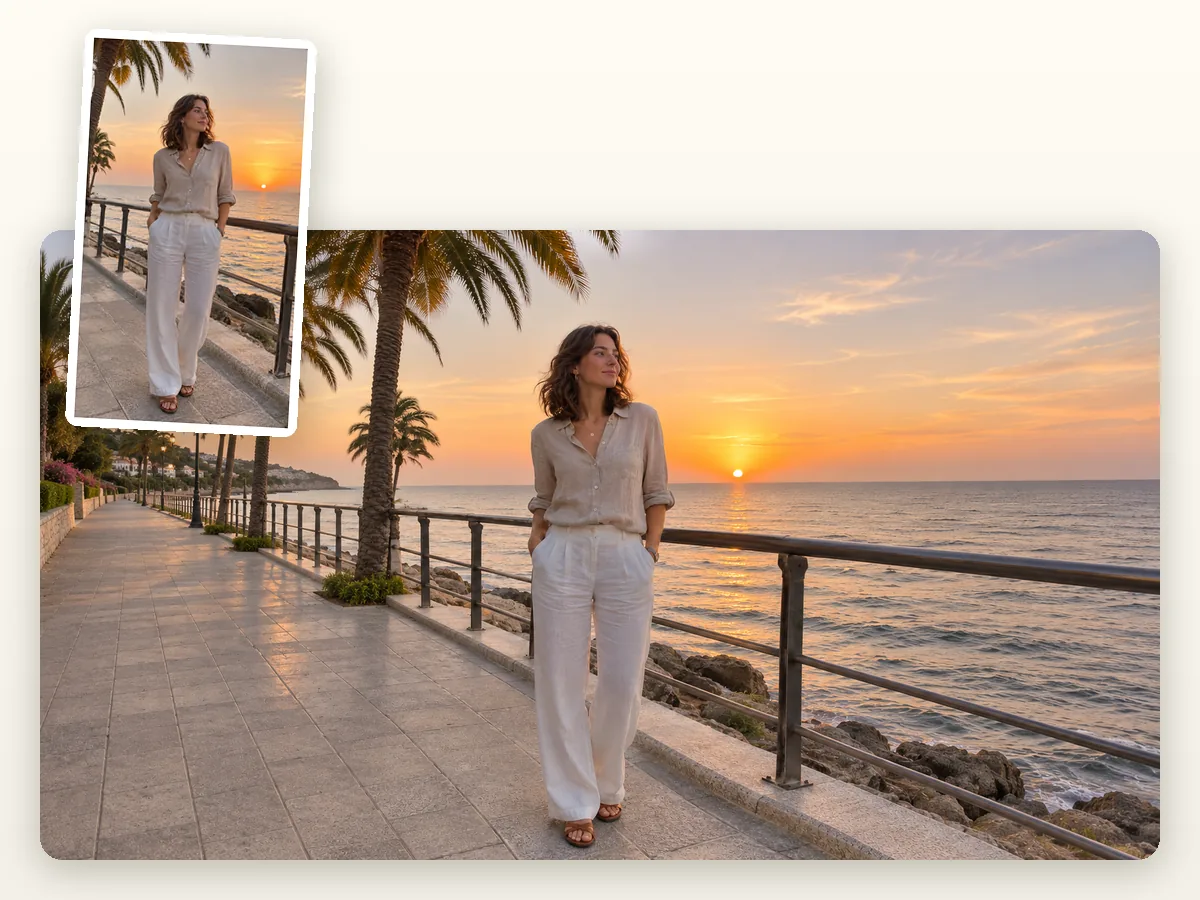
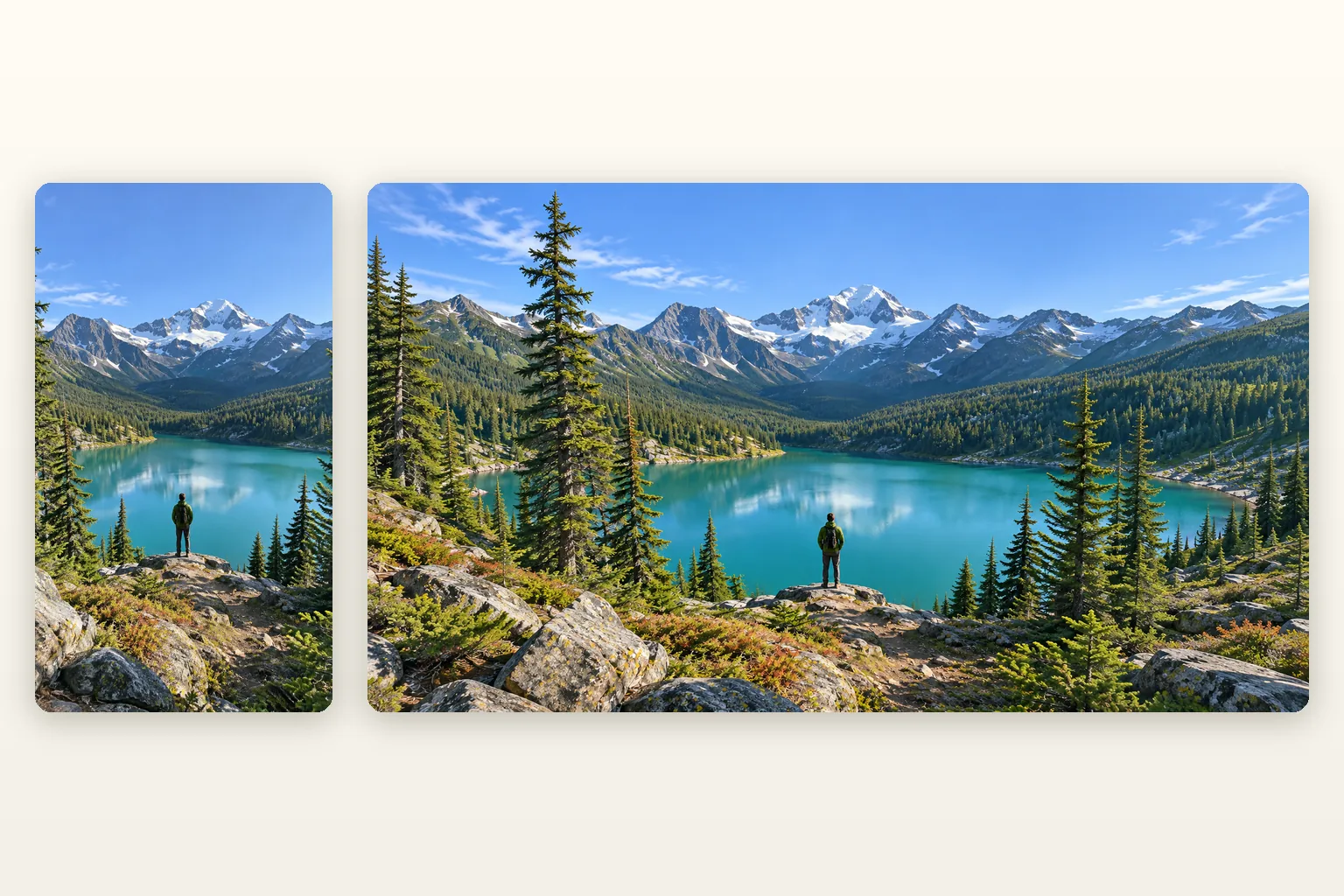
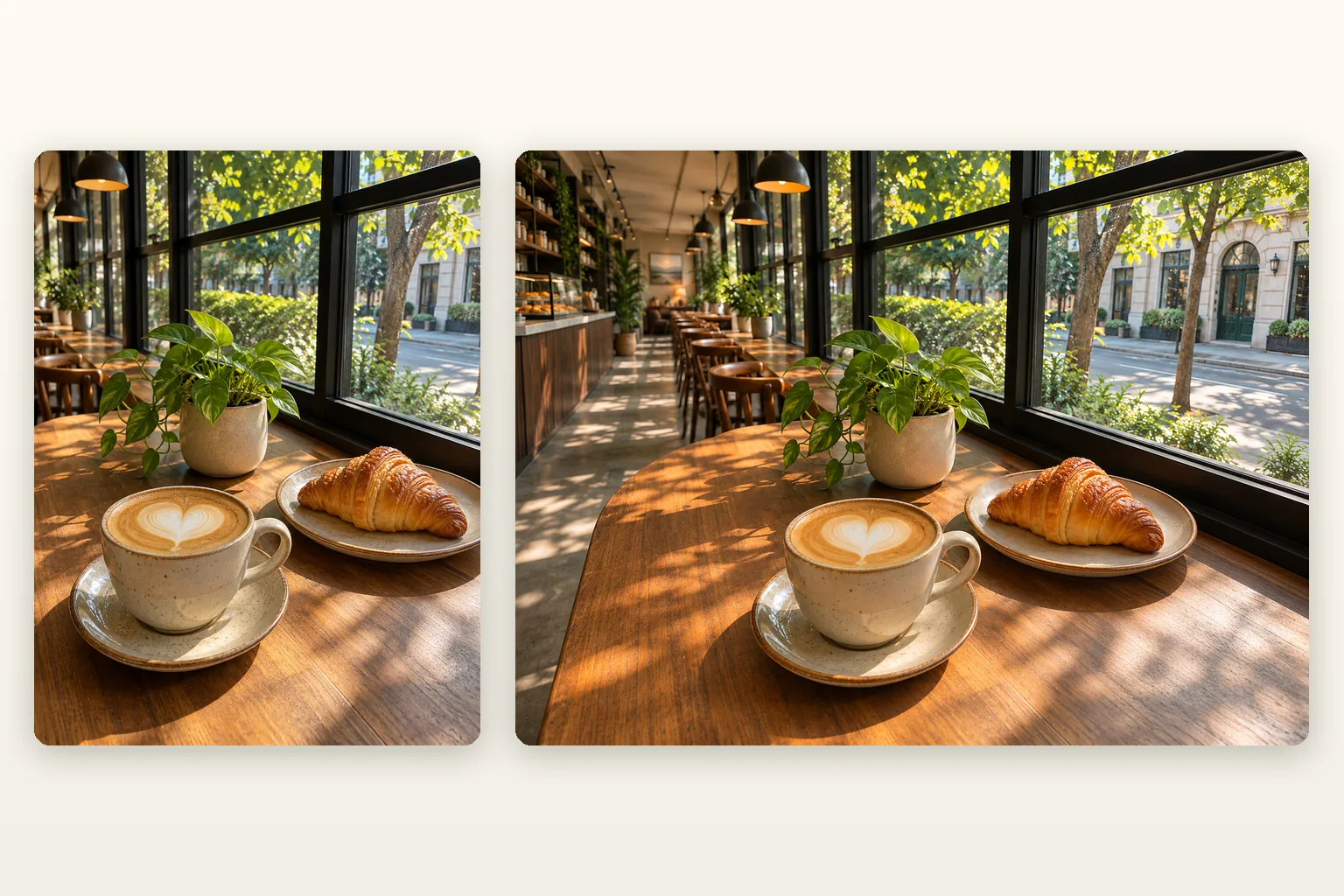
Two ways to use the portrait to landscape converter: a widescreen 16:9 frame or a classic 4:3 frame. Each pair shows the vertical original on the left and the landscape result on the right.
01
A vertical photo becomes a 16:9 landscape
A 9:16 phone photo gains wide new strips on both sides, enough for a YouTube thumbnail, a slide or a website banner. This is the biggest change in width, so the AI invents the most scenery.
At 4:3 the new sides are narrower, so more of the final picture is your original photo. It suits prints, tablets and posts where a gentle landscape frame is enough.
Left: the vertical original. Right: the portrait to landscape result.
What a portrait to landscape converter does
A portrait photo is taller than it is wide; a landscape photo is wider than it is tall. A portrait to landscape converter changes that shape. This one keeps your photo in the center and asks AI to paint new scenery on the left and right, so the background, floor and light carry on past the old edges instead of ending in empty bars.
Why not just crop the photo?
Cropping a vertical photo to a landscape frame cuts away most of its height, often the head or the feet. To convert portrait to landscape without losing anything, the frame has to grow sideways instead. If what you need is a new viewpoint rather than a wider frame, the AI camera angle generator on our home page moves the camera around the subject.
Three ways to fit a vertical photo into a landscape frame.
How to convert portrait to landscape: 4 ways compared
Every method below turns a vertical picture into a horizontal one. They differ in what happens to your photo.
Method
What happens to the photo
Good for
Crop
Keeps a horizontal strip and throws away the top and bottom.
Wide scenes where the subject is small
Blurred or plain bars
Leaves the photo as it is and fills the sides with a blurred copy or a flat color.
Quick video edits
Stretch
Pulls the photo wider, so people and objects look flattened.
Almost never a good idea
AI extend (this tool)
Keeps the photo in the middle and paints new scenery on both sides. The AI redraws the whole image, so small details can shift.
Thumbnails, banners, slides and wallpapers
Landscape aspect ratio and landscape photo size
The landscape aspect ratio is width divided by height; the landscape photo size in pixels follows from the ratio and the resolution. Common sizes are 1920 × 1080 for 16:9 and 1600 × 1200 for 4:3.
16:9
Widescreen
The shape of most TVs, monitors, YouTube videos and slides. From a 9:16 phone photo, about two thirds of the final width is new.
4:3
Classic
Common for prints, tablets and older cameras. From a 3:4 photo, a little under half of the final width is new.
3:2
Not offered here
The film and DSLR shape. The model only renders preset sizes, so pick 4:3 and trim a thin strip from the top and bottom if you need 3:2.
Portrait to landscape vs zoom out image
Both tools show more of the scene, but they change different things.
Portrait to landscape (this page)
Changes the shape from vertical to 16:9 or 4:3. Your photo keeps its size in the middle and only the left and right are new. Use it when the shape is the problem.
Zoom out image
Zoom out image keeps the original ratio and moves the camera back, so new space appears on every side and the subject gets smaller. Use it when the shape is right but the photo feels too tight.
What portrait to landscape AI keeps and what it may change
The model redraws the whole picture on the wider canvas. It is told to keep your photo as it is, and usually does, but it is not a pixel copy.
Usually kept
Who or what is in the photo, and where they stand
Pose, clothing and colors
The direction of the light and the camera angle
May change
Fine detail such as hair strands, fabric texture and skin
Small text, logos and patterns, which can come out garbled
Very small faces, and hands close to the edges
If the pose itself should change, run the AI pose changer first, then widen the result here.
Tips for a better portrait to landscape result
The AI can only guess what lies beyond the edges. These habits give it a better start.
01
Start from a photo whose background runs to the edges: a beach, a street, a wall or a sky extends far more cleanly than a busy crowd.
02
Keep the subject away from the left and right edges. A shoulder or a hand cut off by the frame forces the AI to invent the rest of it.
03
Use the note for the sides only, for example "more of the forest path". Describing the person again can make the AI redraw them.
04
Pick 4:3 when a gentle change is enough: less new area means fewer invented details. For a moving shot, animate the 16:9 result with AI camera movement.
How it works
How to make a portrait photo landscape in 3 steps
1
Upload your vertical photo
Click, drop or paste a JPEG, PNG or WebP up to 10 MB. The preview shows it inside the landscape frame.
2
Pick the ratio and describe the sides
Choose 16:9 or 4:3. If you like, add a short note about what the new left and right areas should show.
3
Convert and download
Press Convert to Landscape. The image is usually ready in about a minute; download it as a PNG or find it later in My creations.
Use cases
Where portrait to landscape photos help
01
YouTube thumbnails
Turn a vertical phone shot into a 16:9 thumbnail without black bars or a cropped face.
02
Website banners and headers
Give a wide hero image or blog header a photo that was only ever shot upright.
03
Slides and presentations
Fill a 16:9 or 4:3 slide with one photo instead of a narrow strip in the middle.
04
Desktop and TV wallpapers
Make a favorite vertical photo fit a widescreen monitor or TV.
05
Prints and photo books
Fit a portrait shot into a landscape frame or a 4:3 photo book page.
06
First frames for video
Use the widened picture as the opening frame of a horizontal video.
FAQ
Portrait to landscape FAQ
What does a portrait to landscape converter do?
It turns a vertical photo into a horizontal one. This portrait to landscape converter keeps your photo in the middle and uses AI to add new scenery on the left and right until the image is 16:9 or 4:3.
How do I convert portrait to landscape without cropping?
Extend the sides instead of cutting the top and bottom. Upload the photo here, pick 16:9 or 4:3 and press Convert to Landscape; the AI adds the missing width, so nothing has to be cut off.
Will it change my subject?
It tries not to, but small changes can happen. The model redraws the whole image on the wider canvas, so faces, hands, fine texture and small text may shift slightly. Compare the result with your original before you use it.
Which landscape ratios can I choose?
16:9 and 4:3. The model only offers preset sizes, so 3:2 is not available; pick 4:3 and trim a thin strip from the top and bottom if you need 3:2.
How much does portrait to landscape cost?
Each image costs 15 credits. Credits come with the plans and credit packs on the pricing page, and a generation that fails gives its credits back.
What size is the landscape image?
You get a PNG in the ratio you chose, sized for screens and the web. The tool widens the frame but it is not an upscaler, so it suits online use better than large prints.
Can I tell the AI what to put on the sides?
Yes. The optional note lets you describe the new areas in up to 300 characters, for example "more of the city street at night". The note only guides the sides; your subject is kept as it is.
What kind of photos work best?
Photos with a simple, continuous background work best, such as a beach, a wall, a field or a sky. Crowds, signs with text and subjects cut off by the frame are harder, because the AI has to invent more.
What is the difference between portrait to landscape and zoom out image?
Portrait to landscape changes the shape and only adds space on the left and right. Zoom out image keeps the original shape and moves the camera back, adding space on every side.
Can I change landscape to portrait here?
No. This page only widens vertical photos into landscape ones; it is not a landscape to portrait converter. To go the other way, crop the photo in an image editor.
Is portrait to landscape AI the same as stretching the photo?
No. Stretching pulls the pixels wider and flattens people and objects. Portrait to landscape AI keeps the proportions and paints new content beside the photo instead.
What if my photo is already horizontal?
Then there is little left to add. The preview in the workspace shows how much of the frame is new before you spend credits; a photo that is already close to 16:9 gains almost nothing at 16:9.
Where do I find my results later?
Every finished image is saved in My creations in your account for 30 days, so you can download it again.
Which photos am I allowed to upload?
Only photos you own or have permission to use. Uploads and notes are checked against our content policy before any credits are charged, and content that breaks it is rejected.